WooCommerce Product Search
Help Shoppers Find the Right Product, Fast
Shoppers who search already know what they want. RocoSearch makes sure your store's search box finds it, even when they misspell it or type a product code.
Default WooCommerce Search Hides Products You Have in Stock
WooCommerce's built-in search looks at product names and descriptions, and little else. It can't find a product by a code typed with a space in the wrong place, it gives up at the first spelling mistake, and it lists results in no useful order.
The shopper sees “No products were found” and assumes you don't sell it. RocoSearch fixes that the moment it's installed.
Product Search That Knows Your Catalogue
Every Product Detail, Searchable
Names, SKUs, barcodes (GTIN), brands, categories, tags and attributes like colour and size are all searched, including the SKU of every variation.
Codes and Typos, Handled
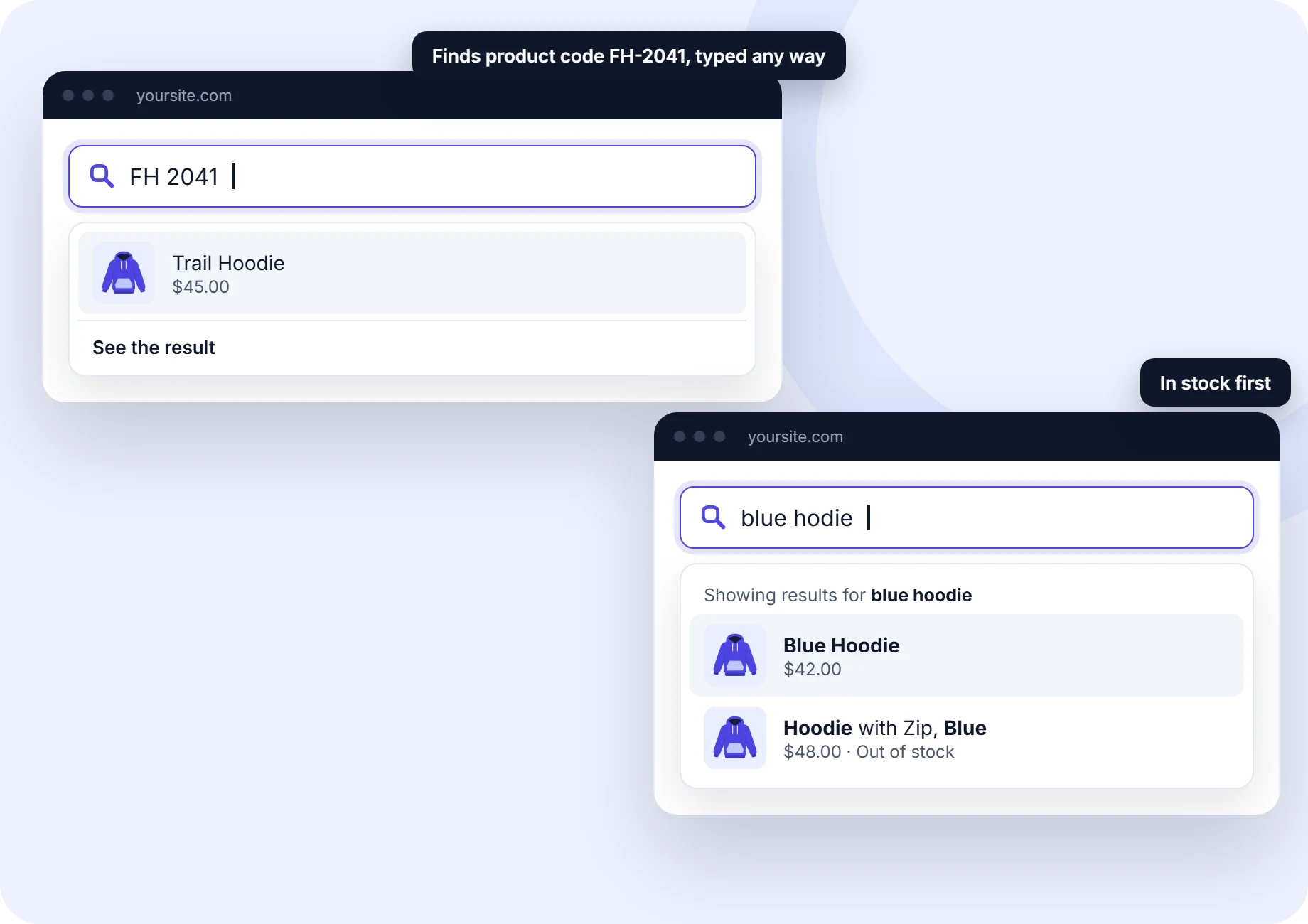
“FH 2041”, “FH-2041” and “fh2041” all find the same product. “Blue hodie” finds your blue hoodies, with a note saying what was searched.
The Right Product First
An exact product code always wins. Names beat descriptions. In-stock products rank above sold-out ones, or you can hide sold-out products from search.
Live Product Results as Shoppers Type
A dropdown opens under your store's search box showing matching products with their picture and price, and saying when something is out of stock. Most shoppers find what they want without ever reaching the results page.
Respects the Way Your Store Is Set Up
- Products hidden from your catalogue stay hidden from search.
- WooCommerce's own “hide out of stock items” setting is honoured.
- Works with WooCommerce's product results page and your theme's design.
- No product limit, in the free plugin or in Pro. Tested on a 20,000-product store.
Sell More With RocoSearch Pro
Pro turns your search box into a place to buy. Shoppers can pick a size or colour and add to cart straight from the live results, with sale badges and category and brand suggestions alongside.
And Search Insights shows which searches found nothing and which led to an order, so you know what to stock and what to fix.
What to Know
The free plugin improves search itself. It doesn't add filters to your results page, so your theme's or WooCommerce's own filters keep working as they do today. RocoSearch Pro adds filters for category, brand, colour, size, price and stock.
Frequently Asked Questions
Will it slow down my store?
No. On a 20,000-product test store, a typical search took about 0.02 seconds. Search runs on its own small tables, separate from your orders and products.
Does it work with variable products?
Yes. Each variation's SKU and attributes are searchable, and results show the parent product.
What happens when I add or change a product?
Search updates automatically in the background. There's nothing to rebuild.
Is there a limit on the number of products?
No. There's no product limit, free or Pro.
Stop Losing Sales to “No Products Were Found”
Install RocoSearch free and give your shoppers a search that finds what they came to buy.
Free forever. No credit card. Nothing locked.