Instant Live Search
Show Instant Results as Your Visitors Type
Give visitors answers before they've finished typing. RocoSearch adds a fast, polished results dropdown to the search box your theme already has.
Every Extra Click Is a Chance to Lose Someone
On most WordPress sites, searching means typing a word, pressing Enter, waiting for a new page, scanning a list and clicking again. Each step loses a few visitors.
People now expect what they get from Google and the big stores: suggestions the instant they start typing. RocoSearch gives your site the same, with no setup.
A Live Search Your Visitors Will Actually Use
Results With Every Keystroke
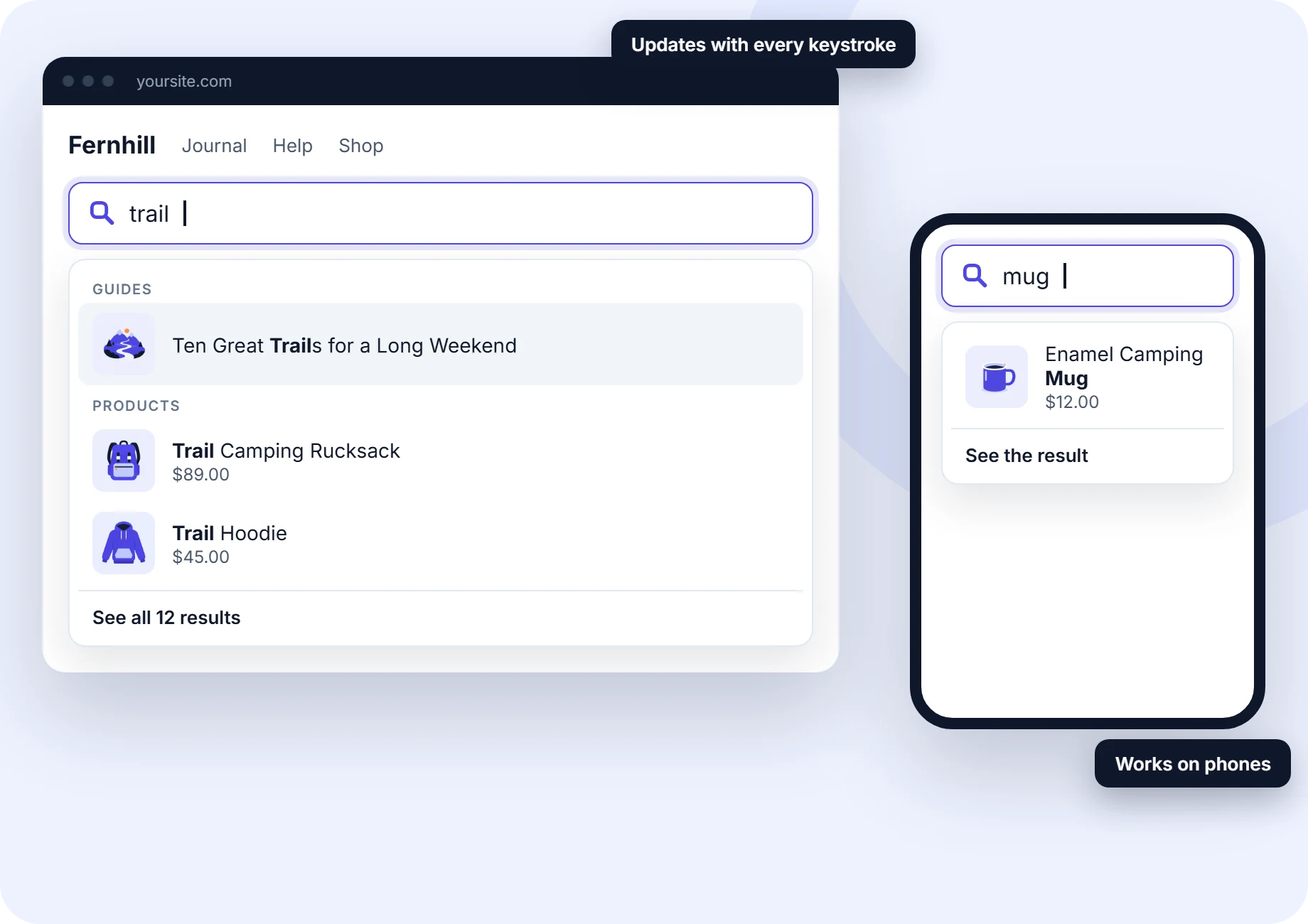
Results appear from the second letter and update as visitors type. Half-typed words are completed, so “trai” already finds trails and trail shoes.
Grouped So They're Easy to Scan
When a search finds more than one kind of thing, results are grouped under clear headings such as Guides and Products, with the best match's group first.
Pictures, Prices and Stock
Products show their picture and price, and say when they're out of stock. Posts and pages show their featured image.
Fits Your Site Without Any Styling
The dropdown opens under your theme's own search box and picks up your theme's fonts automatically. It works with block themes, classic themes, the Search block and Elementor's search widget.
It shows the six best matches and a “See all results” link to your normal results page, so the two always agree.
Built to Be Accessible
Everything works from the keyboard: arrow keys to move, Enter to open, Escape to close. Screen readers announce how many suggestions are available.
It's just as usable on a phone, where a fast answer matters most.
- Fast: a typical search takes 0.02 seconds on a 20,000-product test store.
- Light: one small script, loaded only when live search is switched on.
- Private: results come from your own site. Nothing is sent anywhere else.
What to Know
Live search needs JavaScript. If a visitor has it switched off, your search box simply works the normal way.
While someone is still typing a word, that word is completed rather than spell-checked. Typos are corrected as soon as the word is finished.
Want shoppers to buy without leaving the search box? RocoSearch Pro adds sale badges, size and colour choices and an Add to cart button to the dropdown. See RocoSearch Pro
Frequently Asked Questions
Can I switch live search off?
Yes. It's one switch in Search settings. Your results page keeps all the other improvements.
Will it match my site's design?
It uses your theme's fonts and a neutral white panel that suits most designs. Developers can restyle it with a few CSS variables.
Does it work on multilingual sites?
Yes. On sites using Polylang, the dropdown only shows results in the language the visitor is browsing.
Can private or draft content appear?
No. The dropdown only ever shows published content that any visitor is allowed to see.
Give Your Visitors Answers as They Type
Install RocoSearch free and your search box starts suggesting results in minutes.
Free forever. No credit card. Nothing locked.